

Sort by:
Buy Office suite from 2GO Software
You want to buy an Office suite, but as soon as you start searching, you come across Office 365, Microsoft 365 and Office 2024 as well. Confusing, because what's actually the difference? Still, the choice is simple once you know what suits your situation.
On this page, you'll find the Office suites most often bought from 2GO Software: Microsoft 365 Personal and Microsoft 365 Family (the subscriptions that were called Office 365 for years), Office Home 2024 for home use and students, Office 2024 Home Use & Self-Employed for freelancers and sole traders, Microsoft 365 Business Standard with licence key for businesses, and combo deals of Microsoft 365 with security software, so you can work and stay protected in one go.
Still not sure which package suits you? Further down this page, we'll help you find the right product in just a few questions.
2GO Software is an official Microsoft Solutions Partner: every licence is genuine and instantly downloadable, with
a free installation service and support seven days a week.
Read on our Microsoft Partner page why
that makes a difference for your purchase.
Bestsellers
Show all € 116.05
Microsoft 365 Family | 6 Users - 1 Year | Including Updates
Official partner | Microsoft | 30 devices
€ 129.00
€ 116.05
 € 87.72
Microsoft 365 Personal | 1 User - 1 Year | Including Updates
Official partner | Microsoft | 5 devices
€ 99.00
€ 87.72
 € 121.85
Microsoft Office Home 2024 | Windows + Mac
Official partner | Microsoft | 1 device
€ 149.00
€ 121.85
 € 131.60
Microsoft 365 Business Standard license with product key | Annual subscription | 1 User | 15 Devices
Microsoft | 15 devices | 1 year
€ 184.40
€ 131.60
 € 252.58
Microsoft Office 2024 Home & Business | Windows + Mac
Official partner | Microsoft | 1 device
€ 361.79
€ 252.58


We found these products for you:
 Savings
-55%
Savings
-55%
Microsoft 365 Personal + Norton 360 Deluxe | 3 Devices | 1 Year
Official partner | Microsoft, Norton | 3, 5 devices
- Subscription: 1 year
- Microsoft 365 Personal: suitable for 5 devices
- Norton 360 Deluxe: suitable for 3 devices
- VPN module included
MSRP:
€ 193,99
€ 87,72
€ 87,72
 Savings
-46%
Savings
-46%
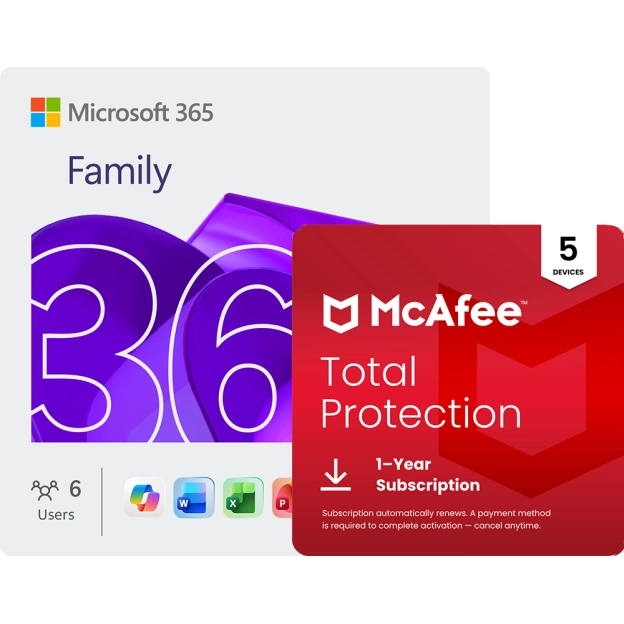
Microsoft 365 Family + McAfee Total Protection | 5 Devices | 1 Year
Official partner | Microsoft, McAfee | 5, 30 devices
- Subscription: 1 year
- Microsoft 365 Family: 6 users, 5 installations per usereach user can install the package on up to 5 devices. Transferring licences to other devices is allowed. Max. Total number of active devices: 30
- McAfee Total Protection: suitable for 5 devices
- Strong antivirus for your devices
MSRP:
€ 218,95
€ 118,98
€ 118,98
 Official partner
Microsoft 365 Personal | 1 User - 1 Year | Including Updates
Official partner | Microsoft | 5 devices


- 1 user, 5 devices at once (use on up to 5 devices per user)
- Word, Excel, PowerPoint, Outlook and OneNote
- 1 TB cloud storage in OneDrive
- Copilot included
MSRP:
€ 99,00
€ 87,72
€ 87,72
 Official partner
Microsoft 365 Family | 6 Users - 1 Year | Including Updates
Official partner | Microsoft | 30 devices
- Up to 6 users, 5 devices at once per user (tooltip: use on up to 5 devices per user)
- Word, Excel, PowerPoint, Outlook, OneNote and Family Safety
- 2 TB shared cloud storage in OneDrive for the whole subscription
- Copilot included
MSRP:
€ 129,00
€ 116,05
€ 116,05
 Savings
-18%
Savings
-18%
Microsoft Office Home 2024 | Windows + Mac
Official partner | Microsoft | 1 device
- Microsoft Solutions Partner
- Original legal Microsoft software
- One-time purchase, no subscription fees
- No hidden costs
MSRP:
€ 149,00
€ 121,85
€ 121,85
 Savings
-30%
Savings
-30%
Microsoft Office 2024 Home & Business | Windows + Mac
Official partner | Microsoft | 1 device
- Microsoft Solutions Partner
- Original legal Microsoft software
- One-time purchase, no subscription fees
- No hidden costs
MSRP:
€ 361,79
€ 252,58
€ 252,58
 Savings
-29%
Savings
-29%
Microsoft 365 Business Standard license with product key | Annual subscription | 1 User | 15 Devices
Microsoft | 15 devices | 1 year
- Windows, Mac, Android and iOS
- 15 installations per user. (5x Desktop + 5x Smartphone + 5x Tablet)
- The latest version of Office without a one-time investment
- Professional, business e-mail (exchange) in the cloud
MSRP:
€ 184,40
€ 131,60
€ 131,60
Office 365 is now Microsoft 365 - What's changed?
On 30 March 2020, Microsoft announced that the subscription versions of Office 365 were getting a new name. From 21 April 2020, Office 365 Personal and Office 365 Home were renamed Microsoft 365 Personal and Microsoft 365 Family. The content and functionality didn't change - only the name. So if you're still searching for "Office 365", in practice you mean the same subscription as "Microsoft 365". The one-time packages without a subscription kept the name "Office", followed by the year (such as Office 2024).
Which Office suite suits you?
Four questions will quickly lead you to the right package:
Do you want a subscription that stays automatically up to date, or would you rather make a one-time purchase with no annual
costs?
Choose a subscription with Microsoft 365, or a one-time purchase with Office 2024.
Do you use Office on your own, or together with your family?
For 1 user, choose
Microsoft 365 Personal or Office Home 2024. For a family of up to 6 people, choose Microsoft 365 Family.
Are you self-employed, or working from a company with multiple employees?
As a sole trader or freelancer,
Office 2024 Home Use & Self-Employed
is often the best fit. Working with multiple employees? Then take a look at
Microsoft 365 Business Standard with licence key
or the Microsoft 365 subscriptions for businesses on the
Microsoft 365 Business page.
Do you also want to be protected against viruses and online threats right away?
Choose one of the combo deals of
Microsoft 365 with security software, so you get everything from a single purchase, at a better price than
if you bought Office and security separately.
Looking for a different Office suite?
Take a look at the full subcategory for your situation:
- Microsoft 365
- Microsoft 365 bundles
- Office 2024
- Office for home use
- Office for businesses
- Microsoft 365 Business
- Microsoft 365 Enterprise
Why buy an Office licence from 2GO Software?
2GO Software is an official Microsoft Solutions Partner. That means your licence is 100% genuine and properly registered to your name with Microsoft - you can always reinstall the software or transfer it to another computer. Read on our Microsoft Partner page what that partnership actually involves.
You also get more than just the Office licence with every purchase. Can't manage the installation yourself? Then one of our team members will simply install the software for you remotely, via a secure remote session, at no extra cost. Run into an issue or have a question? We're available 7 days a week via chat, email, WhatsApp and phone, including weekends.
Still not satisfied after purchase? Then you simply get your money back, with no complicated conditions. And because your licence and download link land directly and automatically in your inbox after payment, you never have to wait: everything is available for immediate delivery. With every package, you also get a step-by-step installation guide, tailored to your operating system and the chosen product, so you can get started without any hassle.
Frequently asked questions
There is no difference in content between Office 365 and Microsoft 365, but there is in name: Microsoft renamed Office 365 to Microsoft 365 as of April 21, 2020. The features remained the same.
The price depends on the type of licence (annual subscription or one-time purchase) and the number of users. View the current price per package at the top of this page or on the product page itself.
That depends mainly on how you plan to use Office and with whom.
Do you work or study alone and simply want the latest version every year? Then Microsoft 365 Personal is the logical choice: 1 user, up to 5 devices.
If you prefer to share with your family or housemates, Microsoft 365 Family is more economical, up to 6 people on one subscription, each with their own devices and storage.
Do you prefer not to renew every year and would rather pay once? Then choose Office 2024: Home & Student for home use and school, or Home & Business if you are a freelancer or self-employed.
If you work from a company and want to manage Office centrally with a license key, Microsoft 365 Business Standard is the best fit.
And if you have a larger organization with more than, say, 10 workstations, Microsoft 365 Enterprise is often a better fit thanks to its more extensive management capabilities.