

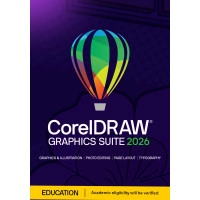
CorelDRAW Graphics Suite 2025 | Student version | Windows & Mac


Our alternatives:
-
One-time purchase
-
Available for 1 Windows or Mac PC
-
Equipped with new features, improved performance, and no delays
-
Vector illustration, layout, photo editing, and more in one package
-
Over 1400 Google Fonts families for endless typography options
-
Includes font packages, ready to use instantly
-
For students and teachers
Description
CorelDRAW Graphics Suite 2025 Student Version
CorelDRAW Graphics Suite 2025 provides students and educators with the perfect tools to develop their creative skills. With enhanced performance, smart design features, and an intuitive interface, you can create professional-quality designs for academic and educational purposes.
Exclusive for Students, Teachers, and Educational Staff
IMPORTANT! This product is exclusively available to students, teachers, and supporting (school) staff. It cannot be used by regular consumers or businesses. Check the full product description via the link to see if you qualify and how to verify your eligibility.
Looking for the standard version for personal and business users? Visit: CorelDRAW Graphics Suite 2025 - Windows - Mac.
This student version is a perpetual license, meaning you only pay once and can use it indefinitely. Available for both Windows and Mac.
CorelDRAW Graphics Suite 2025 helps you work faster and more efficiently with new tools for vector illustration, layout, and photo editing. Whether you’re creating posters, digital illustrations, or visual projects for school, this software provides everything you need.
Start right away with a complete set of professional design tools, specially designed to support students and teachers in their creative process. From powerful editing features to an extensive library of templates and fonts, everything is included to take your projects to the next level.
With its user-friendly interface and versatile features, CorelDRAW Graphics Suite 2025 - Student Version is a must-have for any student or educator looking to design professionally. Order now safely and easily at 2GO Software!
When are you eligible for this Student and Teacher Edition?
If you want to be eligible for the Student & Teacher Edition, you are (as the name suggests) a student or teacher. Below we explain in which situation Corel will grant you permission to use this product. Corel does the verification, 2GO Software is not a party in this process.
For lecturers and support staff
For lecturers, which also includes faculty and support staff, Corel will ask for a school pass (with your name on it) or, for example, a payslip from the educational institution.
For students
You must be at least 13 years old and enrolled in one of the following types of education. Corel will check this enrollment:
- Higher education/university: A recognized public or private university or college of higher education (including vocational education institutions and other educational institutions). Corel will ask for a proof of enrollment with your own details and the details of the educational institution.
- Basic or secondary education: A recognized public or private full-time primary or secondary school. Corel will ask for proof of enrollment, e.g. with a school pass.
CorelDRAW Graphics Suite 2025 - Student Version: The Perfect Tool for Your Creative Learning Journey
- CorelDRAW® - Create professional vector illustrations and layouts
- Corel PHOTO-PAINT™ - Advanced photo editing and graphic design
- Corel Font Manager™ - Easily browse and manage fonts
- PowerTRACE™ - Convert bitmap images to vector graphics
- CorelDRAW.app™ - Design online and work from any location
- CAPTURE™ - Easily take screenshots for projects and presentations
- CorelDRAW.app™ for iPad - Design on the go with the iPad app
- AfterShot™ HDR - Basic RAW photo editing for a professional finish
- More than 5000 templates, cliparts, and digital assets for creative projects
- 750+ high-quality images and illustrations for educational use
- Extensive library of TrueType and OpenType fonts
- 150 professionally designed templates for various projects
- 500+ gradients, vector, and bitmap fills
New and Improved Features in CorelDRAW Graphics Suite 2025 - Student Version
User-Friendly Interface
An intuitive and educational environment helps students and beginners quickly get started with design.
Includes Essential Fonts
No need for separate downloads – essential font packages are included for immediate use.
Simplified Perspective Tools
Learn to draw in perspective quickly and easily with optimized tools for 1-, 2-, and 3-point projection.
Efficient Page Management
Work with multiple pages in a single project, ideal for reports, brochures, and presentations.
Precise Color Adjustments
Use the updated Replace Colors tool in Corel PHOTO-PAINT™ to adjust colors easily for a professional finish.
Faster Export Functions
Export multiple pages and images at once, perfect for quickly completing assignments.
Practical Collaboration Tools
Easily share designs with teachers and classmates for feedback and evaluation.
Real-Time Image Adjustments
Experiment with non-destructive image adjustments without altering the original file.
Optimized for Students
This version is specifically tailored for educational use and provides all essential tools for creative subjects.
Work Faster and Smarter
With new tools and improved workflows, save time and work more efficiently on assignments.
Note: The student version is for educational purposes only and cannot be used commercially.
Unlock Your Creative Freedom
Create eye-catching designs, illustrations, and photo edits with professional tools that are easy to learn and use.
Future-Ready Technology
Take advantage of the latest developments in graphic design software, tailored to the needs of students.
Learn and Create with Ease
Built-in tips and templates help you start quickly and make steady progress.
Perfect for Study Projects
Whether working on a school assignment, a portfolio, or a creative experiment, this software provides all the tools you need.
Flexible Workspace
Organize and edit your designs in one easy-to-use space, with smart tools for optimal management.
Basic Photo Editing
Learn and apply simple photo editing techniques with Corel PHOTO-PAINT™, perfect for students looking to enhance their skills.
Accessible Anywhere
Work from your laptop, tablet, or online and take your projects wherever you go.
Note: The student version does not include all advanced features of the commercial version.
Your Creative Journey Starts Here
CorelDRAW Graphics Suite 2025 - Student Version is the perfect starting point for anyone looking to develop their creative skills. Available at 2GO Software.
Reviews (11)
Loading...
Product information
Loading...
Do you want to know more or are you not quite sure what to pick? Call our software specialists for the best advice.
Call me back
Summarized
-
One-time purchase
-
Available for 1 Windows or Mac PC
-
Equipped with new features, improved performance, and no delays
-
Vector illustration, layout, photo editing, and more in one package
-
Over 1400 Google Fonts families for endless typography options
-
Includes font packages, ready to use instantly
-
For students and teachers
Buy Corel at 2GO Software
-
Guaranteed legitimate software - 2GO Software is a Corel Partner
-
Helpdesk: Available 7 days a week
-
Reinstallation / Transfer to another PC always possible
-
Extensive support via customised manual
